SmartHQ
- 4.3
- Rating
- 1.00M
- Installs
- Free
- Price

 Analysis by App-foxy
I came away from SmartHQ with a fairly clear impression: it is most useful when you already own compatible GE Appliances equipment and want one place to check and manage it, rather than when you are looking for a general smart-home platform. That distinction matters. The app is free, aimed at everyone, and built by GE Appliances, but its value depends heavily on what is installed in your home.
In the Lifestyle category, SmartHQ takes a practical approach to connected living. Instead of trying to become a universal control center for every brand, it focuses on the appliances that belong to the GE ecosystem. I found that focus both reassuring and limiting. When the app is connected to the right appliance, it can make everyday routines easier. When it is not, there is little reason to keep it around.
What SmartHQ is like in everyday use
The first thing I noticed is that SmartHQ makes more sense as a companion to physical appliances than as a standalone app. Its purpose is not to entertain me or fill idle time; it is there to help me interact with connected GE equipment from a phone. That makes the setup experience and the reliability of the connection more important than visual flair.
You May Also Like

 Blood Strike: 2.5 Anniversary
Blood Strike’s Loadouts Turn Every Drop Into a Tactical Gamble
A close look at Blood Strike’s custom loadouts: how fast access to signature weapons reshapes its battle royale rhythm, rewards preparation, and narrows the gap between fights.

 Pandora - Music & Podcasts
Pandora’s Music Is Easy to Start, but Harder to Recover
Pandora’s strength is its low-effort path from a seed to a station. Its weak spot is how much confidence it asks you to place in connection, setup, and quiet recovery.

 8 Ball Pool
 Is Built on Rivalries, Rematches, and Routine
A close look at the rivalries, rematches, shared routines, and unanswered safety questions that turn a quick pool match into a persistent mobile community.

 Samsung Music
’s Quiet Strength Is Playing What You Already Own
Its reach comes less from spectacle than from dependable access to a personal library. That simplicity is both the app’s strongest retention engine and its ceiling.

 AccuWeather: Weather Radar
AccuWeather Review: A Quick, Clear Forecast for Everyday Decisions
For everyday plans, the best forecast is the one you can understand quickly. AccuWeather makes rain timing, radar, and local conditions easy to act on, with a few trade-offs.

 Hill Climb Racing
Why Hill Climb Racing Still Turns Crashes Into One More Run
A tiny car, a bumpy hill and one more upgrade: Hill Climb Racing keeps resurfacing because its simple chaos makes every near-miss feel personal.
More From Our News Desk
View All News


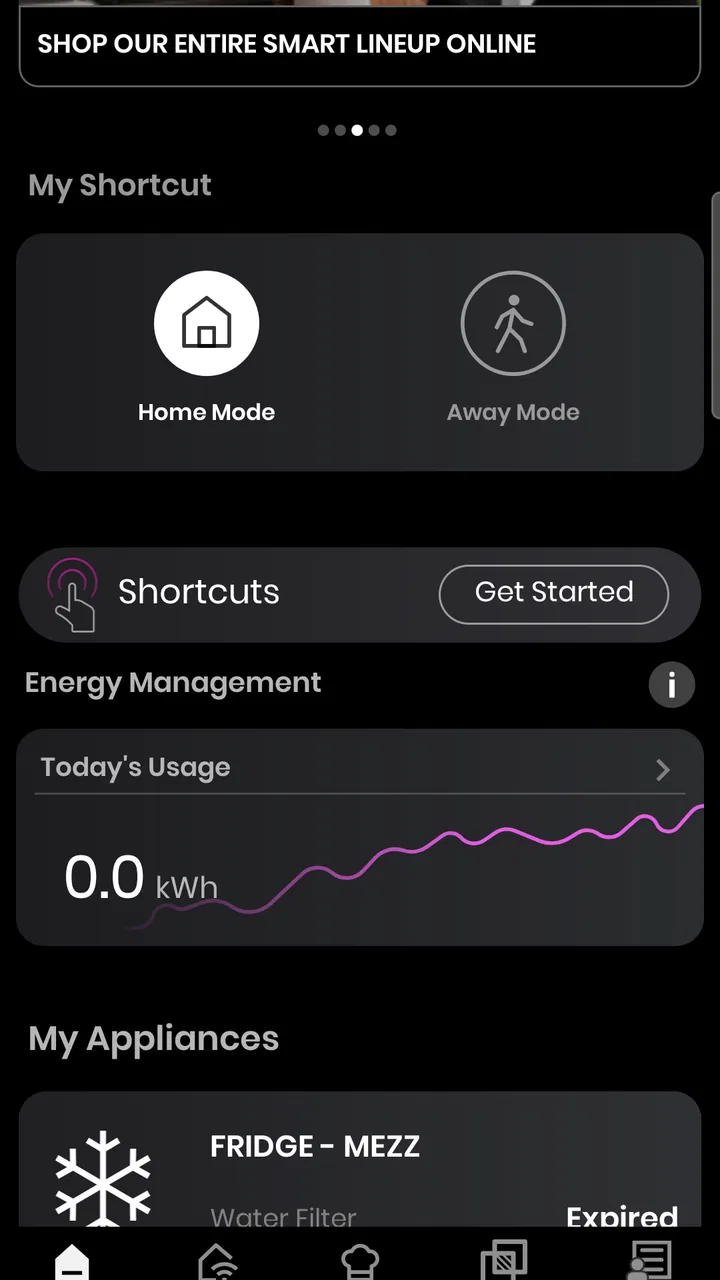
The app’s store summary calls it a connected-home command center, and I think that description is fair as long as “home” means the compatible GE appliances in your household. I would not treat it as a replacement for a broad smart-home service. Its strength is the relationship between the app and GE Appliances products, not a promise to organize every connected device under one roof.
That focused design can be helpful for households with several compatible appliances. Rather than remembering a separate control method for each product, I can open one app and look for the appliance I need. The benefit is less about a single spectacular feature and more about reducing small bits of friction: checking an appliance, reviewing its available controls, or using the phone as the starting point for a task.
There is also a useful psychological advantage to having an appliance app that stays close to the manufacturer. If I am trying to understand how a GE product behaves, SmartHQ is a more logical place to begin than an unrelated third-party hub. The trade-off is that this convenience does not automatically extend to non-GE equipment.
The strongest reason to install it
The clearest case for SmartHQ is a home where connected GE Appliances products are already part of the routine. Imagine preparing dinner while moving between rooms. Instead of repeatedly returning to the kitchen just to check what is happening with a connected appliance, I can use the phone as a quick point of reference. That does not eliminate every reason to check the appliance itself, but it can make the routine less interrupted.
A similar situation comes up during laundry. I may start a cycle, leave the room, and later want to check its status without walking back immediately. This is exactly the kind of small, repeated convenience that makes a lifestyle app worthwhile. It is not dramatic, but repeated small conveniences are often what determine whether a connected-home tool survives beyond its first week.
One of my more useful habits with an appliance-control app is to think in terms of routines rather than isolated buttons. I would open SmartHQ before beginning a task, confirm that the intended appliance is selected, and then use the app as a check-in point later. This reduces the chance of confusing one appliance with another, especially in a home with similar products.
That workflow also reveals an important limitation: the app cannot make an incompatible appliance connected. Before installing it, I would identify the exact GE product and check whether it is designed to work with SmartHQ. The app is a poor choice if I am hoping to bring unrelated brands into the same system or if my main goal is broad device automation.
Why the focused ecosystem is both a strength and a weakness
SmartHQ benefits from being tied to GE Appliances because the app’s purpose is easier to understand. I do not have to guess whether a feature belongs to a thermostat, a light, a speaker, or an appliance. The context is clear. For a GE-focused household, that can feel more straightforward than a general smart-home app filled with controls I never use.
At the same time, a focused ecosystem creates boundaries. If my home contains appliances from several manufacturers, I may still need other apps for the rest of the kitchen or laundry room. That means SmartHQ can become one part of a larger collection rather than the only control center. I consider that a realistic trade-off, not a flaw unique to this app.
Compared with using the appliance manually, SmartHQ offers more convenience when I am away from the room or want a phone-based overview. Compared with a general smart-home platform, it is likely to feel narrower but more relevant to supported GE products. The better option depends on the household: appliance owners who value manufacturer-specific control should look here first, while people building a mixed-brand system may prefer a broader platform and keep SmartHQ only for GE-specific tasks.
Practical setup expectations
I would approach setup patiently rather than treating it like a quick download-and-go utility. The app’s usefulness depends on pairing the correct appliance and maintaining a dependable connection between the phone, the home network, and the appliance. If the initial setup is rushed, later confusion can look like an app problem even when the real issue is selecting the wrong product or account context.
A good approach is to have the appliance nearby, use the same household network consistently during setup, and give each appliance a clear name once it appears. Naming matters more than it sounds. “Kitchen appliance” is not helpful when several devices are listed, while a name based on room and function makes later checks faster.
I would also avoid installing the app only when I am already in a hurry to start a task. Connected appliances are most useful when configured before an urgent moment. Setting up SmartHQ on a quiet day gives me time to understand which controls and status details are actually available for my particular GE product.
Another practical tip is to treat the phone as a convenience layer, not as the only source of truth. If an appliance display, physical control, or manual instruction says something different from what I expect in the app, I would stop and verify the appliance directly. That habit is sensible for any app that interacts with household equipment.
Where the experience can become frustrating
The biggest weakness is not that SmartHQ is too simple; it is that the experience can feel dependent on circumstances outside the app itself. A connected appliance app is only as smooth as the pairing process, the network connection, and the compatibility of the product. When any of those pieces become uncertain, the convenience can quickly turn into troubleshooting.
I also think the app is less appealing for people who own only traditional, non-connected appliances. In that situation, downloading it first and deciding what to do later reverses the sensible order. The product should come first: identify a compatible GE appliance, then use SmartHQ to support it. Without that foundation, the app has little practical purpose.
Another source of friction is expectation management. The phrase “command center” may lead some users to expect a complete smart-home dashboard, with every brand and device represented in one place. I would not set that expectation. SmartHQ is better understood as a GE Appliances control and monitoring companion. That narrower interpretation makes the app easier to judge fairly.
There is also a trade-off between convenience and dependence on the phone. I like having appliance information available from a familiar device, but I would not want to build a routine that becomes impossible whenever the phone is unavailable. Physical controls remain important, particularly for other members of the household who may not use the app regularly.
Who should use SmartHQ?
I would recommend SmartHQ to people who own compatible GE Appliances products and genuinely want phone-based access to them. It is especially suitable for households where more than one person needs a simple way to check or interact with connected appliances, or where the kitchen and laundry routines involve frequent movement away from the appliance.
It can also suit someone who prefers a manufacturer-specific experience over a general smart-home application. If I want GE-related controls in a focused environment and do not mind using separate apps for other brands, SmartHQ is a sensible place to start. The free price removes the financial barrier to trying it, although the real value still comes from owning compatible hardware.
I would be more hesitant to recommend it to someone shopping for an app before choosing appliances. It is not a universal solution for turning an ordinary home into a connected one. I would also suggest looking elsewhere, or using SmartHQ only alongside another platform, if the main priority is controlling a mixed collection of brands from a single interface.
The app carries an Everyone content rating, so its intended audience is broad. In practical terms, though, ease of use will depend less on age and more on whether the household understands which appliance is connected and how it has been named. A clear setup benefits everyone, especially people who do not want to learn a complicated smart-home system.
What its popularity tells me
SmartHQ has passed one million installs and holds a 4.1 average from roughly thirty-five thousand ratings, with about seven thousand one hundred written reviews. Those figures suggest that the app has reached a substantial audience and that the overall experience is useful for many users, while still leaving room for mixed experiences.
I would read that reception with some caution. A connected-appliance app naturally receives feedback shaped by hardware, network conditions, and installation details, not just by the app’s interface. A smooth experience for one GE product may not feel identical on another. The rating is encouraging, but it is not a substitute for checking whether the specific appliance in a household belongs in the SmartHQ ecosystem.
The app has been available since August twenty-eighth, two thousand fifteen, which gives it a long presence in this category. Its current version is 1.0.0.112.3, and it requires at least OS 9. For someone using an older device, that minimum requirement is worth checking before planning a setup around the app. For most users with a more recent phone, the more important question remains appliance compatibility and connection reliability.
How I would use it without creating extra work
My preferred approach would be deliberately simple. I would install SmartHQ, connect only the appliances I actually use, give them unambiguous names, and spend a few days learning which tasks are genuinely faster through the phone. If a feature does not save a trip, prevent confusion, or make a repeated routine easier, I would not force it into my daily habits.
For a busy household, I would keep the app organized around rooms or functions rather than adding every possible device immediately. That makes it easier to find the appliance needed at a particular moment. I would also make sure other regular users know the naming scheme, because a connected-home tool is less useful when only one person understands the layout.
When troubleshooting, I would separate the problem into three questions: is the appliance compatible, is the phone connected to the expected household network, and is the correct appliance selected in SmartHQ? That sequence is more useful than repeatedly tapping controls at random. It also prevents a simple naming or pairing mistake from becoming a larger source of frustration.
Finally, I would judge the app over repeated routines rather than a single first impression. The best evidence is whether it helps during ordinary cooking, laundry, or household checks. If it consistently saves time, it earns its place. If it merely duplicates controls I never use, removing it is a reasonable decision.
My final recommendation
SmartHQ is a focused Lifestyle app with a clear purpose: supporting connected GE Appliances from a phone. I like that its usefulness is easy to understand once the right hardware is in place, and I think its strongest moments come from small everyday conveniences rather than flashy presentation. Checking an appliance from another room or keeping several compatible products in one manufacturer-focused app can genuinely improve a routine.
Its limitations are equally clear. It is not the right answer for a home built around many unrelated brands, and it cannot compensate for an incompatible appliance or an unreliable connection. People expecting a universal smart-home command center may find it narrower than anticipated.
My bottom line is simple: install SmartHQ when your GE Appliances are the reason you want a connected-home app. For that audience, the free download is worth trying, and the 4.1 average across its sizeable user base suggests a generally positive experience. For everyone else, I would choose the broader platform that matches the devices already in the home instead of adding another app without a clear daily job.
FAQs for SmartHQ
01What is SmartHQ and what does it do?
SmartHQ is a comprehensive app designed to manage and control a range of smart home appliances. It allows users to seamlessly connect their devices, providing remote access and control over functions such as temperature settings, appliance cycles, and energy monitoring. This app is ideal for those looking to enhance their smart home experience.
02Is SmartHQ compatible with all smart home devices?
SmartHQ is specifically designed to work with a wide array of GE Appliances. While it offers extensive compatibility with GE’s product lineup, users with other brands should verify device compatibility before downloading. The app's compatibility list is regularly updated, so checking the latest information on their website is recommended.
03How user-friendly is the SmartHQ app for beginners?
SmartHQ boasts an intuitive user interface that is easy for beginners to navigate. The app features straightforward setup guides, helpful tutorials, and a clean layout. Users can get started quickly, even if they are new to smart home technology, making it accessible for all experience levels.
04What security measures does SmartHQ have in place?
SmartHQ prioritizes user security by implementing robust encryption protocols to protect data transmission. The app requires secure logins and offers regular updates to address any vulnerabilities. Users can feel confident that their personal information and device controls are safeguarded.
05Are there any subscription fees or hidden costs with SmartHQ?
SmartHQ is free to download and use, with no hidden subscription fees. However, users should be aware that some advanced features or integrations might require owning compatible GE Appliances. It's advisable to check the app’s details and any potential appliance requirements before downloading.
Pros
- User-friendly interface for easy navigation.
- Remote control functionality is very convenient.
- Supports multiple appliance brands.
- Customizable settings for personalized use.
- Regular updates enhance app performance.
Cons
- Initial setup can be time-consuming.
- Requires stable internet connection.
- Limited functionality offline.
- Some features locked behind paywall.
- Occasional connectivity issues with devices.

SmartHQ
Gallery